Auto-Ranked for YouTube Studio
AI-powered YouTube SEO right where you edit your videos. One-click optimization for titles, descriptions, and tags.
How It Works
Open any YouTube video
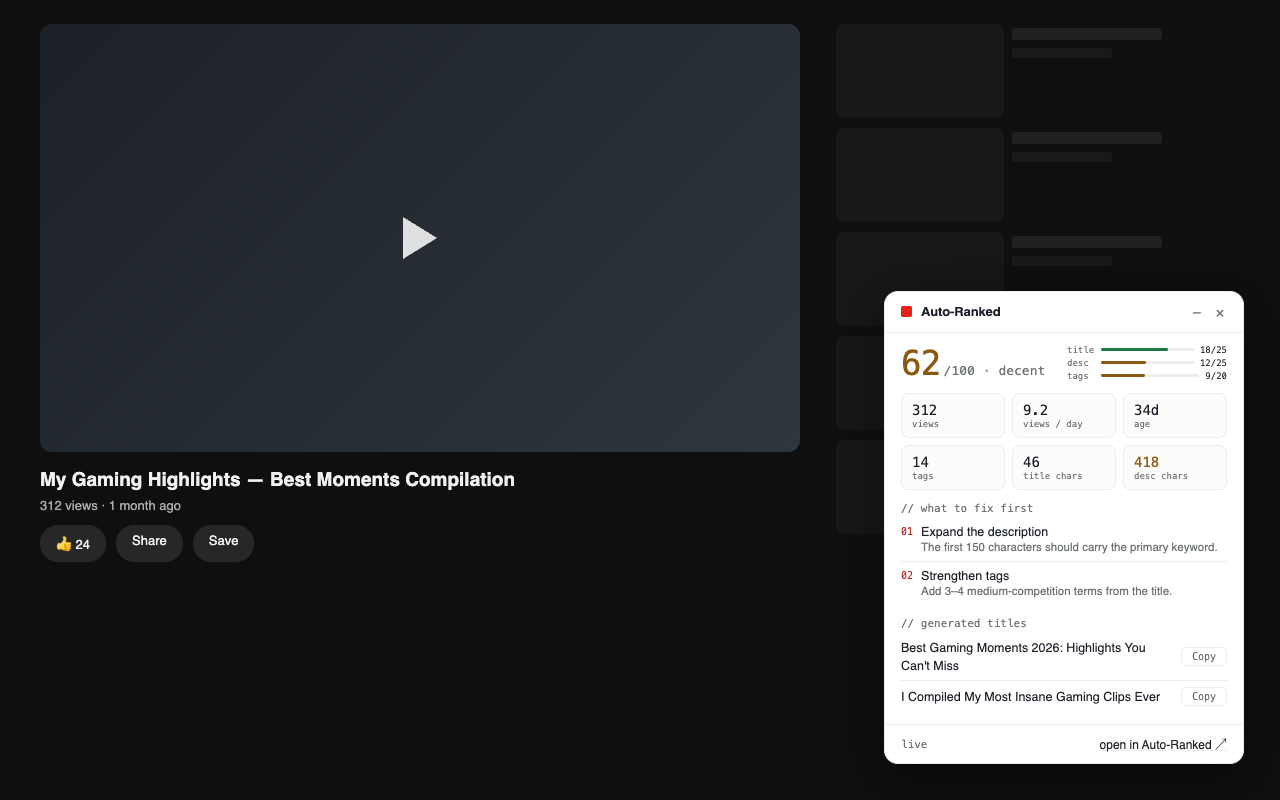
On youtube.com the panel shows the video's SEO score, its real tags and stronger title ideas. No account needed.
Generate for your own video
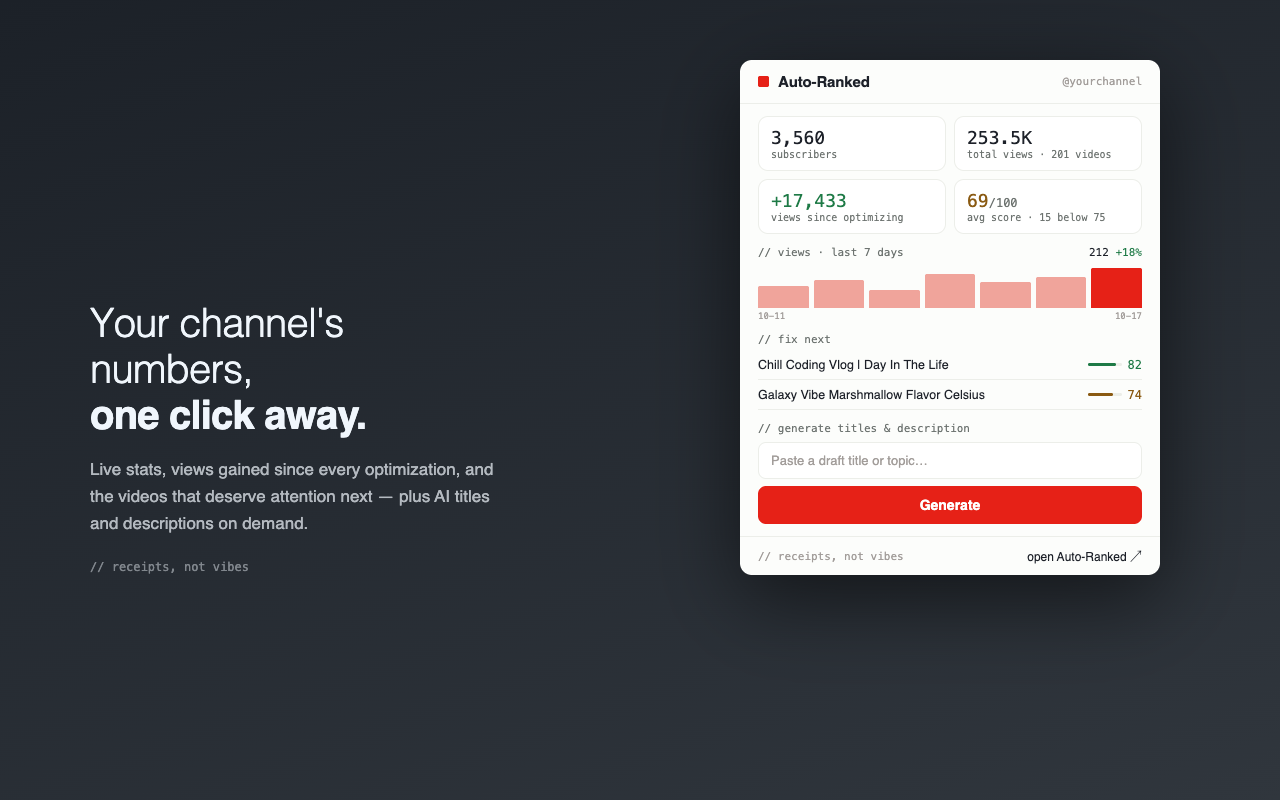
Sign in once, paste a draft title in the popup, and get a title, description and tags written for your channel.
Apply in One Click
In YouTube Studio press Ctrl+Shift+Y and the title, description and tags go straight into the form. Your links and timestamps stay.
Installation
Install from the Chrome Web Store
Auto-Ranked for YouTube is live on the Chrome Web Store. Add it to Chrome, open any YouTube video, and the panel is there.
Add to ChromeSign in once at auto-ranked.com and the extension picks up your account for generation and one-click apply. The watch-page panel works without an account.
What it looks like
Frequently Asked Questions
Do I need a Pro plan to use the extension?
No. The watch-page panel works without an account. Free accounts get 4 full optimizations a month, Pro accounts get unlimited.
Does it work on regular youtube.com?
Yes. The panel appears on every youtube.com watch page with the video's score, tags and title ideas. One-click apply works in YouTube Studio.
Is my data secure?
The extension sends the video's URL and title, plus its public metadata, to our backend, where the suggestions are generated. No tracking code, no telemetry. Details in the extension privacy policy.
Can I customize what gets applied?
One-click apply writes the title, description and tags from your latest result into Studio. Each title and the tags also have a copy button if you want to apply by hand. Your existing links and timestamps are kept.
What browsers are supported?
Chrome, Edge, Brave and other Chromium-based browsers, all from the same Web Store listing. There is no Firefox version.
How do I report bugs or request features?
Email support@auto-ranked.com.
Ready to Optimize Your YouTube Videos?
Install the extension and start getting AI-powered SEO suggestions in seconds.